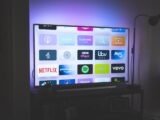
Smart TV apps turn your television into a complete entertainment hub, and this 2026 guide covers the best smart TV apps for streaming live channels, movies and series — plus how to set them up with TechView IPTV for 120,000+ channels in HD and 4K.
What are smart TV apps?
Smart TV apps are applications you install directly on your television to stream content over the internet. Alongside popular streaming platforms, IPTV player apps let you watch thousands of live channels. With a good IPTV service like TechView IPTV, these apps unlock the full lineup on the channels list.
Best smart TV apps for IPTV
The best smart TV apps for live channels include Smart IPTV, IPTV Smarters and TiviMate. Smart IPTV is the classic choice on Samsung and LG, while IPTV Smarters and TiviMate shine on Android TV. All are free to install and work with TechView IPTV.
How to install smart TV apps
- Open your TV’s app store.
- Search for the app you want and install it.
- Enter your MAC and M3U link (Smart IPTV) or Xtream Codes login (Smarters).
- Reload and wait for the channels to load.
First, choose a TechView IPTV plan or a 24h test.
Smart TV apps on Samsung and LG
On Samsung (Tizen) and LG (webOS), Smart IPTV is the easiest option. On Android TVs, you have more choice, including IPTV Smarters and TiviMate. For full steps, see our Smart TV guide.
4K and performance
The best smart TV apps support Full HD and 4K on capable televisions. For smooth 4K use a connection of at least 20 Mbps and, where possible, a wired connection. TechView IPTV’s anti-freeze servers keep everything stable.
Why TechView IPTV
Whatever smart TV apps you use, TechView IPTV provides 120,000+ channels, a built-in guide and real 4K, rated 4.9/5. Read customer reviews or our full review.
Frequently asked questions
What are the best smart TV apps for IPTV? Smart IPTV, IPTV Smarters and TiviMate.
Are smart TV apps free? Yes; you pay only for the subscription.
Do they support 4K? Yes, on 4K televisions.
Can I try first? Yes, 24h test on WhatsApp.
Get watching — choose your plan today →
Free vs paid smart TV apps
Most smart TV apps for live channels are completely free to install — you only pay for your subscription. A few offer optional paid upgrades that unlock extra features like recording or multiple playlists, but the free versions are more than enough for most viewers. With TechView IPTV you can use any of them and still get the full 120,000+ channel lineup in HD and 4K.
Fixing common problems
If an app will not load channels, re-enter your details carefully and check your internet connection, then reload. If the picture buffers, lower the stream quality or switch to a wired connection. Keeping the app updated improves stability, and if your television is very old, a cheap Fire TV Stick gives you a faster, more up-to-date experience.
Watch on more than one screen
Because everything streams over the internet, you are not tied to one room. You can watch on the television in the living room and on a phone or tablet elsewhere, and move your subscription between devices whenever you like. Ask us about multi-connection options if the whole family wants to watch at once.
Do smart TV apps need a subscription?
The apps themselves are just players, so you also need a subscription to supply the channels. Once you have a TechView IPTV plan, you enter your details into any of the smart TV apps and start watching, with nothing else to buy. The apps handle the interface and the guide, while your provider supplies the streams and keeps everything stable.
Keeping your apps up to date
Update them whenever a new version appears, as updates improve stability and add features. If a television is very old and struggles with newer software, a cheap streaming stick is a simple upgrade that keeps everything fast and current.